IDA Pro
Industry standard. Full ARM64 support, integrated debugger, IDAPython scripting, FLIRT/Lumina signatures, plugin ecosystem. Commercial license required for full features.
A complete hands-on guide to analyzing iOS binaries with IDA Pro: stripping FairPlay encryption, disassembling ARM64 code, rebuilding the Payload folder, and getting a modified IPA onto a real device.
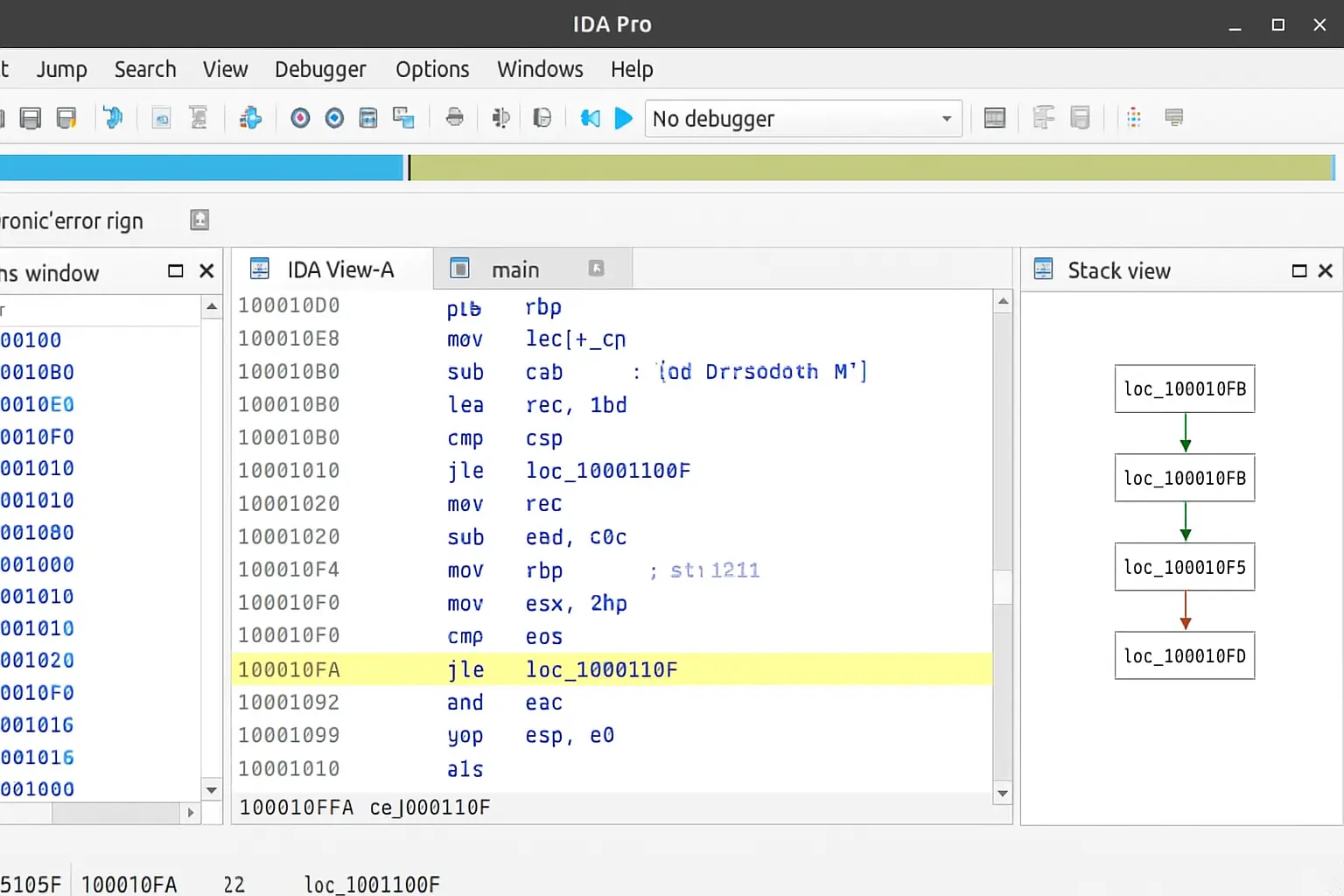
Reverse engineering iOS applications is central to app security auditing, malware analysis, and understanding how software behaves at the machine level. IDA Pro allows researchers to disassemble compiled ARM64 code, reconstruct control flow graphs, and navigate Objective-C and Swift binaries without access to the original source.
Open-source alternatives like Hopper and Radare2 serve entry-level workflows, but IDA Pro's plugin ecosystem, IDAPython scripting, Lumina type information server, and integrated debugger make it the de facto standard for professional iOS binary research.
Industry standard. Full ARM64 support, integrated debugger, IDAPython scripting, FLIRT/Lumina signatures, plugin ecosystem. Commercial license required for full features.
Cheaper and beginner-friendly. Good Objective-C support. Limited compared to IDA on debugging, scripting depth, and plugin availability.
Fully open source. Steep learning curve. Excellent for scripting-heavy workflows but less polished for interactive ARM64 iOS analysis.
Modern, clean UI. Good middle ground between Hopper and IDA. Growing plugin ecosystem. Strong ILVL IR makes automated analysis accessible.
A proper, isolated lab environment is essential before working with iOS binaries. Attempting analysis on a primary device or network introduces unnecessary risk. The minimum recommended setup:
codesign, ldid) and IPA tooling. A VM running macOS is acceptable for most workflows.An .ipa file is a ZIP archive. Renaming it to .zip and extracting it reveals a predictable directory structure that researchers need to understand before touching anything:
Payload/ — the top-level directory containing the app bundle. All meaningful content lives here.Payload/AppName.app/ — the actual app bundle: the executable binary, assets, storyboards, and plists.Info.plist — app metadata including bundle ID, version, supported architectures, and entitlements.Frameworks/ (optional) — embedded third-party dynamic libraries. Each may contain its own ARM64 binary worth analyzing._CodeSignature/CodeResources — Apple's code signing manifest. Modified files invalidate this signature; it must be regenerated before sideloading.FairPlay encryption is the primary barrier to static analysis of App Store binaries. The cryptid flag in the LC_ENCRYPTION_INFO load command indicates whether a binary slice is encrypted. A value of 1 means the binary must be decrypted before IDA Pro can produce meaningful output.
vm_read, and reconstruct the Mach-O manually. Time-intensive but gives full control.With a decrypted binary ready, the core analysis workflow in IDA Pro follows a consistent pattern. The auto-analysis pass handles the heavy lifting, but meaningful research happens in the manual exploration that follows.
Open the binary — drag the Mach-O executable into IDA Pro. Select the ARM64 Little Endian processor module when prompted. For fat binaries (multi-arch), choose the ARM64 slice.
Wait for auto-analysis — IDA identifies functions, applies library signatures, resolves cross-references, and builds the initial call graph. For large binaries like Instagram, this can take several minutes.
Explore Objective-C structures — navigate to View → Open Subviews → Segments and locate the __objc_classlist section. IDA's Objective-C class and selector views let you browse classes and methods by name.
Use Graph View for control flow — press Space to toggle between linear and graph view. Graph view visualises basic blocks and branch conditions, making it far easier to trace SSL validation logic.
Apply FLIRT signatures — go to File → Load File → FLIRT Signature File and apply ARM64 iOS signatures. This auto-labels known library functions, dramatically reducing the amount of unnamed code to investigate.
Rename and annotate — as you identify functions (authentication routines, network handlers, certificate validators), press N to rename them. Consistent naming pays dividends as the analysis grows.
After patching instructions or replacing resources in the binary, the IPA must be rebuilt before it can be installed on a device. The process is straightforward but requires attention to directory structure—ZIP tools that alter the internal layout will produce an IPA that iOS rejects.
Place the modified AppName.app bundle back inside a fresh Payload/ directory.
From the parent directory of Payload/, compress using the command line: zip -r AppName.ipa Payload/. Avoid compressing from inside the Payload folder itself—this breaks the expected archive structure.
Verify the output: unzip -l AppName.ipa | head should show Payload/AppName.app/ as the first entry. If it shows AppName.app/ directly, the structure is wrong.
The resulting .ipa is ready for re-signing. Do not rename it to .zip again at this stage.
iOS enforces code signing at the kernel level. Any binary that doesn't carry a valid signature—or whose signature doesn't match the installed certificate—will be killed on launch. Re-signing is a non-negotiable step after any binary modification.
ldid -S — strips the existing signature and applies a fake ad-hoc signature. Sufficient for jailbroken devices where Apple's signature verification is bypassed by the jailbreak itself.codesign — the authoritative tool for generating valid signatures with a developer or enterprise certificate. Required for sideloading onto stock, non-jailbroken devices.ios-deploy — command-line installation tool for developer-signed IPAs. Integrates cleanly into automated testing and CI workflows.Once the basic workflow is comfortable, these techniques significantly accelerate analysis on complex iOS binaries:
Press X on any string to see every location it's referenced. A string like "certificate validation failed" leads directly to the SSL verification function.
IDA's cloud-based function recognition service. Matches function hashes against a database of known binaries and auto-applies names and type signatures.
Replace a conditional branch with NOP (00 00 00 1F in ARM64) to unconditionally skip a check. Edit → Patch Program → Change Bytes.
Automate repetitive tasks: bulk-rename Objective-C methods, scan for all BL instructions targeting a known function, or export the call graph to JSON.
Run class-dump on the binary first to generate Objective-C headers. Import these into IDA via File → Load File → Parse C Header to populate type information.
Apply custom or community-built FLIRT signature files for common iOS frameworks (AFNetworking, OpenSSL, Realm) to auto-label hundreds of functions instantly.
Want structured, lab-based practice with real iOS binaries? Our advanced IDA Pro ARM64 course covers binary decryption, disassembly methodology, SSL pinning bypass, and live patching challenges in a guided environment.
IDA Pro remains the most capable platform for serious iOS binary research. The workflow—decrypt, disassemble, patch, repackage, sign, sideload—is consistent across targets and, once established, becomes the foundation for more sophisticated analysis tasks like SSL pinning bypass, DRM research, and malware forensics.
The key shift for new practitioners is moving from treating IDA as a viewer to treating it as a workspace: rename aggressively, script repetitive tasks with IDAPython, apply FLIRT signatures early, and use cross-references to navigate rather than scrolling linearly through thousands of functions.